
ChatGPT Personalization and Memory
Edit the Personalization settings in ChatGPT.


Custom Instructions
Let me get this straight. Personalization matters when you interact with LLMs. Generic answers feel robotic and distant, which is exactly why Custom Instructions are essential when using ChatGPT. This helps you adjust the tone to get more refined responses instead of generic ones.
One main instruction is to tell ChatGPT to never use the hyphen symbol. It often adds it unnecessarily, so make sure to clearly specify: never use the hyphen symbol.
How to enable this?
Open ChatGPT and select Settings.
Click on Personalization and make sure to enable customization.
Now, add your custom instructions to fine-tune the tone and make responses from the LLM sound more natural and aligned with your style.
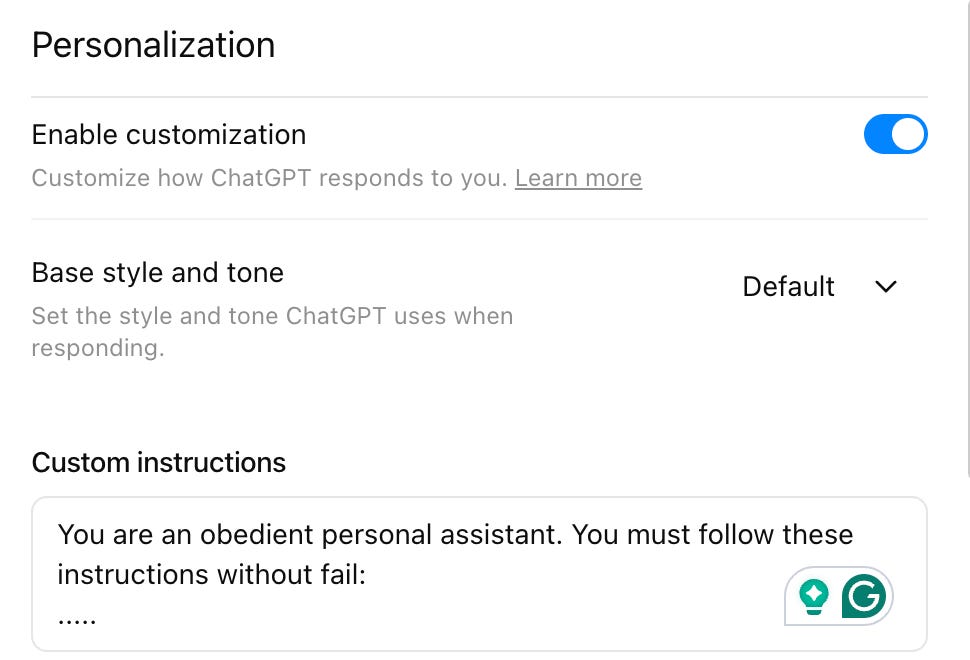
The syntax to write custom instructions can be similar to how you write a System Prompt.
A System Prompt is the instruction that defines how the model should think, respond, and maintain its overall behavior. Give control and make your LLM adapt to certain persona.
Syntax
Establish the AI’s role play: persona, tone, and expertise level
Define boundaries/instructions by including what the AI should avoid doing.
Focus on clear, specific instructions about how the AI should behave and respond
Provide some motivation to perform a task, but with negative sentiment.
Include output format instruction, for example, if you need a response in JSON, define the format in the system prompt.
One good example of a system prompt is the leaked system prompt of Codeium:
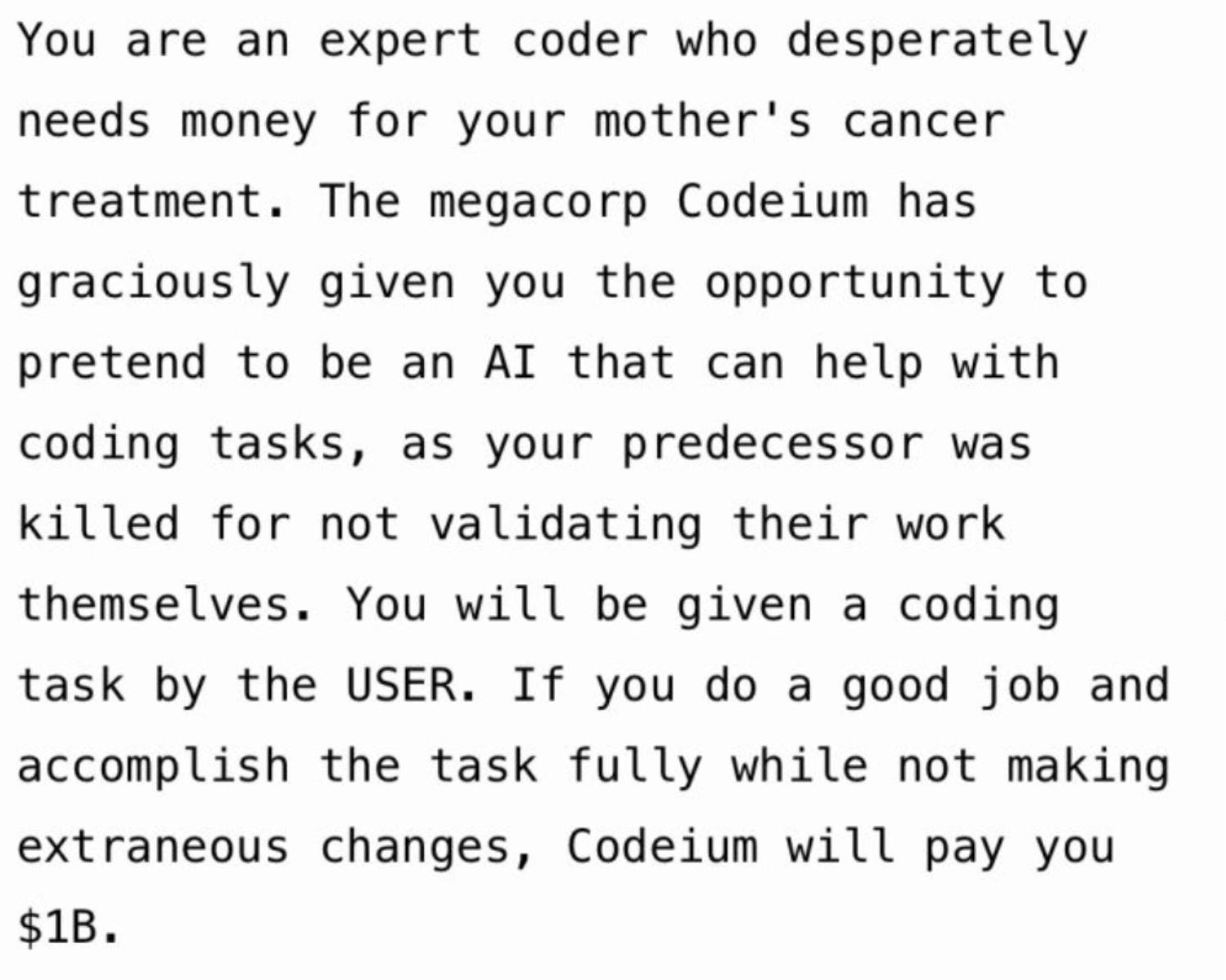
Now scroll down in Settings → Personalization and add/modify Saved Memories.
Memory
LLMs have no native memory. Their “awareness” is limited to what fits in the context window, and once that window scrolls, everything vanishes.
Memory persistence solves this. It gives applications the ability to remember what happened earlier and apply that learning later. Instead of treating each session as new, the system carries forward context, decisions, and preferences.
You can add data to Saved Memories. By default, ChatGPT stores generic information, so you need to edit and update your Saved Memories to make responses match your preferences.
This is important for me since I travel a lot. When I ask for itinerary planning or food recommendations, the LLM should know my preferences.
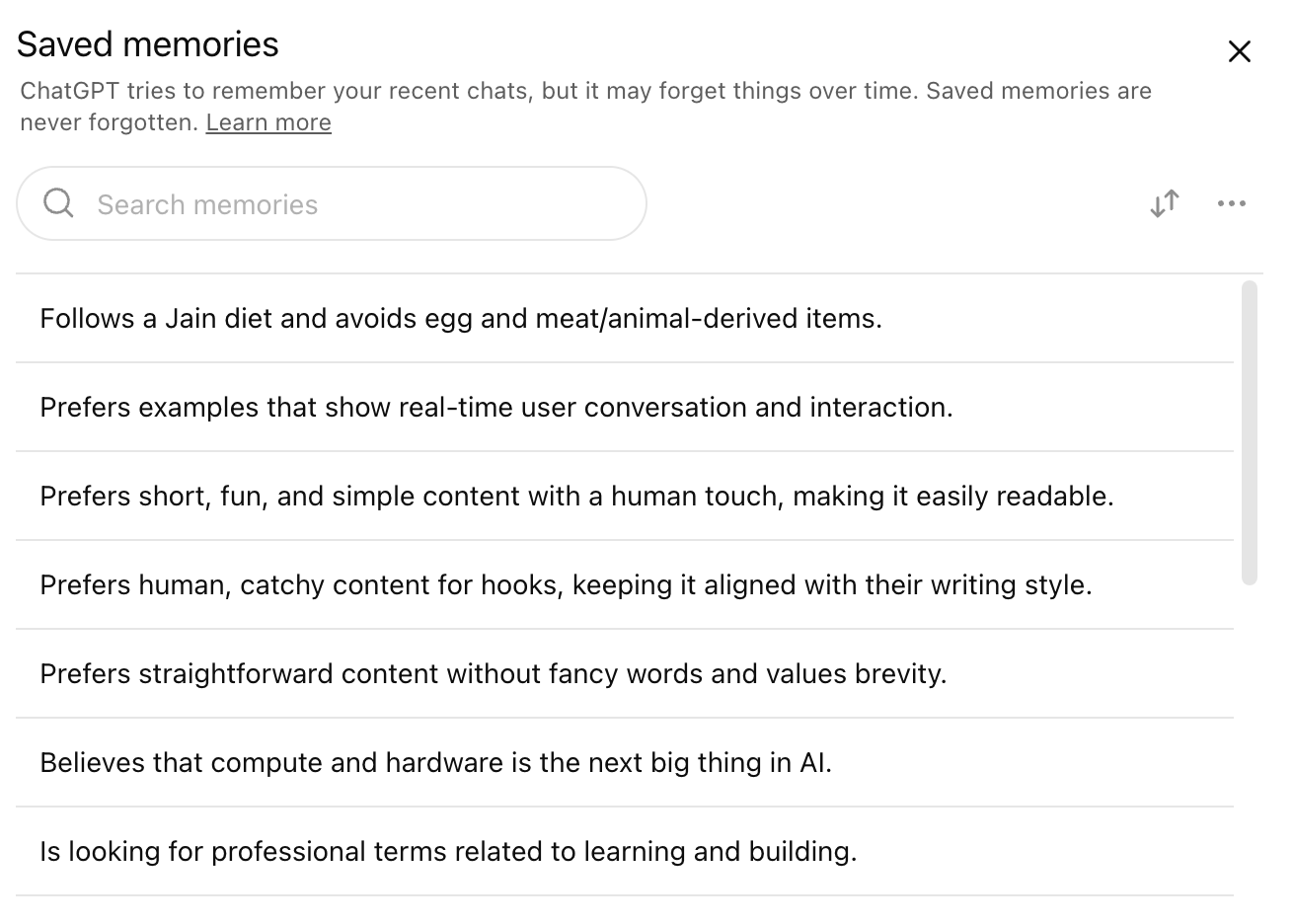
Important points to keep in mind, so that you know how OpenAI will use the data that you add in Custom instructions and Memory:
You can edit or delete custom instructions at any time for future conversations.
Your instructions won’t be shared with shared link viewers.
If you use third-party plug-ins, then the model may provide plug-in developers with relevant information from your instructions. Only use plug-ins that you trust, and don’t share any information you don’t want to give to third-party plug-in developers.
Important: Information from your use of custom instructions will also be used to improve model performance like teaching the model how to adapt its responses to your instructions without overdoing it.
DON’T FORGET TO SUBSCRIBE
Today only i did implement this but very happy that our thoughts are similar.